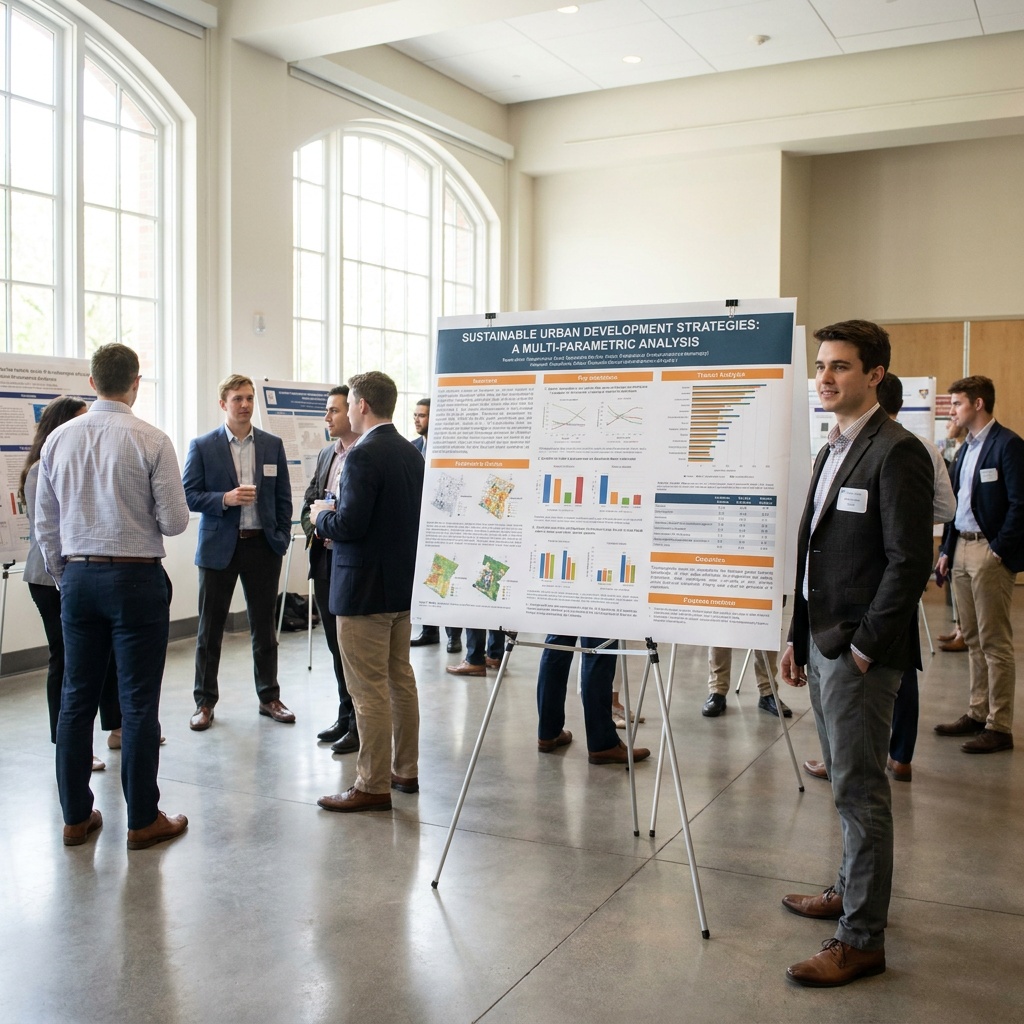
A conference poster session is essentially a walking marketplace.
Hundreds of attendees stroll past dozens of posters in a couple of hours. They are tired, caffeinated, and have already promised four colleagues they’d see their posters too. Each person glances at your work for about 3 seconds before deciding whether to stop and talk or keep walking.
That 3-second decision is the entire game. Everything else, the data, the methodology, the conclusions, only matters if your poster passes that test. I’ve helped graduate students prepare posters for ten years, and the ones that win awards aren’t the ones with the best research. They’re the ones that designed for the 3 seconds.
The 3-Second Test (Try It On Your Current Poster)
Put your current poster design on a screen. Stand 6 feet back. Look at it for exactly 3 seconds, then turn away. Now answer two questions without looking at the poster again:
- What is this poster about?
- What’s the one finding it wants me to remember?
If you can’t answer both questions confidently, your poster fails the test. And if you, the person who built it, can’t answer in 3 seconds, a stranger walking past at a conference has no chance.
Most posters fail this test because they treat the poster like a research paper printed at A0 size. That’s not what a poster is. A poster is an advertisement for a conversation. The paper-style poster is the single biggest design mistake in academic visual communication.
The Big Single Sentence Approach
The version of poster design that actually works in 2026 is sometimes called the “better poster” format, popularized by researcher Mike Morrison around 2019 and adopted across more disciplines every year since.
The format is simple: instead of the traditional layout (title, abstract, methods, results, discussion, references all squeezed into columns), you put one giant sentence in the middle of the poster. The single most important finding of your work. In huge type. Visible from across the hall.
Then, on the sides, you have smaller supporting sections for people who want details after the big sentence catches their eye. A QR code links to the full paper. A small portrait photo identifies you.
The big sentence does the 3-second job. Everything else does the conversation-starter job. Together, they pass the test better than any traditional layout.
Even if you don’t go full “better poster” style, the underlying principle holds: there should be one dominant element on your poster that a passing attendee can read instantly. Not a title. Not an abstract. A finding.
How to Write the Big Sentence
This is the hardest part of the whole process, and it’s where most students struggle. You have months of research, and now you need to compress it to one sentence under 15 words.
Bad big sentences:
- “An investigation of the effects of social media on adolescent self-esteem” (not a finding, just a topic)
- “Our results suggest that there may be a relationship between sleep and memory consolidation” (too hedged, too long)
- “Novel approach to protein folding using machine learning” (still just a topic)
Good big sentences:
- “Teenagers who deleted Instagram for one week reported 23% lower anxiety scores.”
- “Sleeping after learning made students remember twice as much a week later.”
- “This algorithm predicts protein folds in 4 seconds instead of 4 hours.”
The pattern: a specific subject, a specific verb, a specific number or comparison. No hedging language. The headline of a news article rather than the title of a thesis.
If you can’t write a good big sentence about your research, that’s a signal. Either you haven’t yet figured out what your most interesting finding is, or your research doesn’t have one yet. Both of those problems need to be solved before the poster design even begins.
Size, Type, and the Six-Foot Rule
Standard conference posters are usually 36 x 48 inches (about A0) or 48 x 36 inches in landscape orientation. Check your conference’s specs before you start, because nothing is worse than printing a poster that doesn’t fit the assigned board.
For typography, the rule I give my students: every piece of text on your poster has to be readable from 6 feet away. Period. If you have to walk up to read it, it doesn’t belong on the poster. It belongs in the paper you’ll link to with a QR code.
Concrete font sizes for a 36 x 48 inch poster:
- Big sentence / main finding: 100-150pt
- Section headings: 60-72pt
- Body text: 32-40pt (yes, that’s the minimum)
- Captions and figure labels: 24pt
- References and small print: 18pt (but try to put these in your QR-linked paper instead)
Two fonts maximum across the entire poster: one for headlines and one for body. Sans-serif for everything is the safe default. The combination Inter (body) + Inter Bold (headings) is hard to beat for academic work. Our guide to presentation fonts covers other reliable pairings.
Color: Less Is Better Than More
The most common poster mistake after font size is a chaotic color palette. Five accent colors, three different background tones, every chart in a different scheme. The poster looks busy from a distance, which makes attendees walk past.
Pick three colors total:
- One background color (usually white or a very light neutral)
- One text color (dark gray or near-black, not pure black, which looks harsh)
- One accent color for highlights, your name, key numbers, and chart elements
That’s it. If you need to distinguish multiple data series in a chart, use shades of your one accent color, or pair it with a single neutral gray. Resist the urge to add a second accent.
For accent color choices, deep blues, dark teals, and burgundy reds tend to look professional in academic settings. Bright primary colors and pastels tend to look amateurish. Our presentation color schemes guide has hex codes you can use directly.
The Layout That Actually Works
If you’re not going to use the big-sentence format, here’s a more traditional layout that still passes the 3-second test, organized around clear visual hierarchy:
Top zone (20% of poster): Title in large type. Your name, affiliation, and a small headshot photo. Conference and date. Nothing else. Don’t fill this space with logos.
Big visual zone (40% of poster, center): One large diagram, photo, or chart that visualizes your key finding. Not your methods. Not your data table. The headline visual that tells the story of your work in image form.
Supporting columns (30% of poster): Three to four short sections with headings like Background, Method, Key Finding, What’s Next. Three sentences each. Bullet points. No paragraphs.
Bottom strip (10% of poster): QR code to your paper. Contact info. Funding acknowledgment (small). Co-author names if applicable.
The visual hierarchy goes: title catches eye, headline visual confirms relevance, supporting columns answer follow-up questions, QR code captures interest for later. Each zone has a job.
The QR Code Is Mandatory
Every poster in 2026 should have a QR code linking to the full paper, your research website, or a PDF version of the poster itself. Place it in the bottom right corner at a readable size (at least 2 inches square).
The QR code does three things your poster can’t:
- Captures interested attendees who don’t have time to talk right now but want to read later
- Removes the need for printed handouts (good for the environment and your wallet)
- Tracks how much interest your poster generates if you use a QR code generator with analytics
Don’t link to your homepage. Link directly to the paper PDF, your project page, or a Google Drive folder with everything an interested reader would want. The fewer clicks between scan and content, the better.
Day-Of Tactics That Actually Matter
Design is half the work. The other half is what you do during the poster session itself.
Don’t sit behind your poster. Stand next to it, slightly to the side, where you’re visible but not blocking the poster. Body language matters more than you think. People walk past presenters who look like they don’t want to be there.
Have a 30-second pitch ready. When someone stops, you have about 30 seconds before they decide to engage or move on. Practice the pitch out loud at home until it feels natural. “I’m Priya, this is about why students sleep better after handwritten notes than typed ones. The big finding is that handwritten note-takers had 40% better sleep efficiency. Want me to walk you through how we measured it?” Done. They’re either curious or they’re not.
Read the room. If someone is glancing at their watch, give them the short version. If they’re asking detailed questions, settle in. Match the energy of the person in front of you.
Bring business cards or have a cleaner alternative. Some conferences are moving away from paper cards. A QR code linking to your contact info or LinkedIn works well. Whatever you use, make sure interested people can follow up later.
What to Skip Entirely
A few things that show up on bad posters and should never be there:
- The abstract. Nobody reads the abstract on a poster. It’s printed in tiny type and contains words like “investigates” and “elucidates.” Cut it.
- Full reference lists. Put references in the linked paper. The poster has space for three to five key citations at most.
- Multiple logos. Your university logo, your lab logo, your funder’s logo, the conference logo. Pick one (your affiliation), small, in the bottom corner.
- Long methods sections. Two sentences and a diagram. People who care about methods will read the paper.
- Generic stock photos. If a photo doesn’t show your actual work or specific concept, leave it out.
- Dense data tables. Convert to charts. If the chart can’t show it, summarize it with a single number in a callout.
Printing and Practical Stuff
A few things people learn the hard way:
- Print at least 3 days before you travel. Printing errors are common, and same-day printing at the conference venue is twice the price.
- Use matte finish, not glossy. Glossy posters reflect overhead lighting and make text harder to read from an angle.
- Fabric posters are great for travel. They roll up in a small tube, look professional, and survive checked luggage. Slightly more expensive but worth it.
- Bring push pins or velcro. Most conferences provide them, but “most” is not “all.” Bring a small backup.
- Take a photo of yourself in front of your poster. You’ll want it for your CV, website, and LinkedIn. Ask another presenter to take it for you. They’ll be happy to.
The Last Test
Before you print, do one more check. Put the final design on a screen and email it to a friend who is not in your field. Don’t tell them what it’s about. Ask them to look at it for 10 seconds and tell you what they remember.
If they come back with the same finding you wanted them to remember, you’re done. If they come back with something else, or with confusion, or with the title but no finding, you have one more revision to do.
The poster session is unforgiving. Three seconds. Sometimes less. Design for that constraint, not for the imaginary attendee who will read every word. The reward is conversations that lead to collaborations, job offers, and citations later. The poster is just the door. Make sure it’s open.